
You’re about to print a document for school, work, or a meeting, and you notice a little checkbox that says “Collate.”
You pause for a second and think, “Wait… what does collate mean when printing? Should I turn it on or off?”
If you’ve ever felt confused by that tiny option in your print settings, you’re not alone. It’s one of those terms that sounds technical but is actually super simple once you understand it.
Let’s break it down in a clear, everyday way.
Quick Answer:
Collate in printing means printing pages in the correct order for each full set. It’s a practical, time-saving option that keeps multi-page documents organized automatically.
🧠 What Does Collate Mean When Printing?
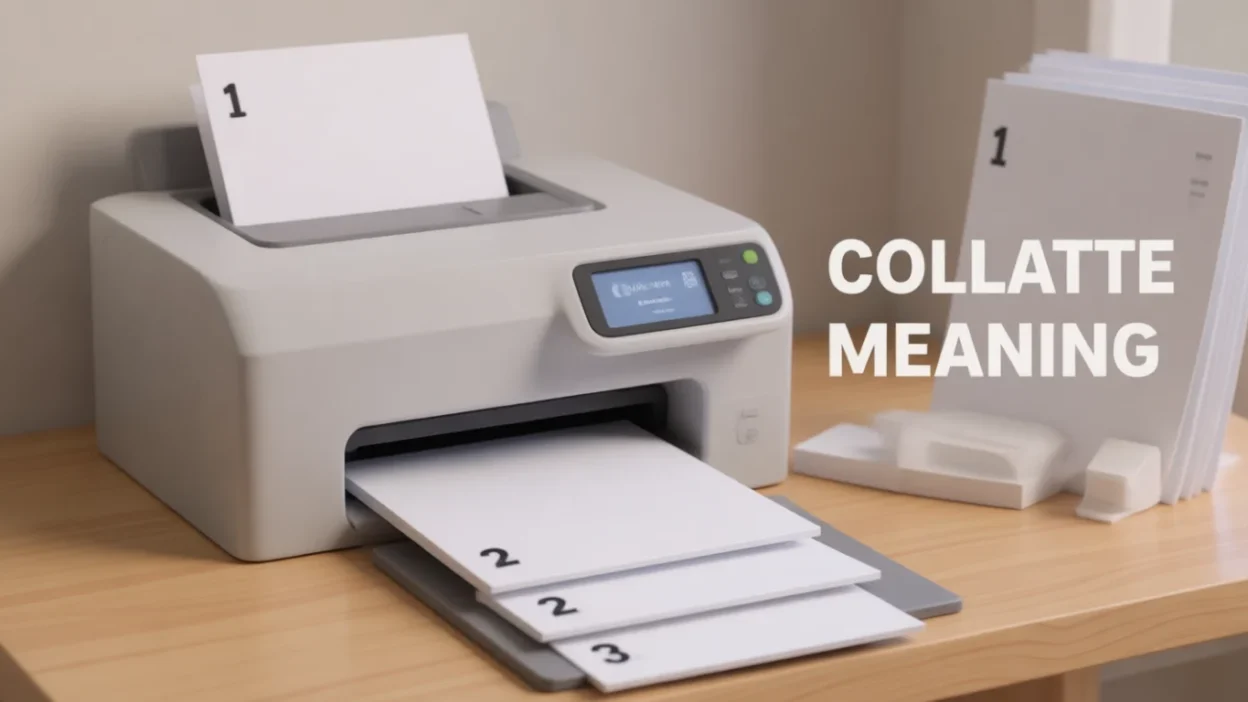
When you choose collate, the printer prints complete sets of pages in order.
For example, if your document has 3 pages and you want 2 copies:
- ✅ Collated:
1, 2, 3 — 1, 2, 3 - ❌ Not collated:
1, 1 — 2, 2 — 3, 3
So instead of grouping all page 1s together, then all page 2s, collating gives you ready-to-use full documents.
Example sentence:
“Make sure you collate the print so each report is already in order.”
In short:
Collate = print complete sets in order = organized copies
📱 Where Is “Collate” Commonly Used?
You’ll usually see the word collate in places related to printing and documents 👇
Common places:
- 🖨️ Printer settings on your computer
- 💻 PDF viewers (like Adobe Reader)
- 📄 Office software (Word, Google Docs)
- 🏫 Schools & libraries
- 💼 Offices & copy shops
Tone & formality:
- ✅ Neutral & professional
- 📘 Technical but common
- 🧾 Practical, not slang
👉 Collate is a standard printing term, not internet slang.
💬 Examples of “Collate” in Conversation
Here are realistic examples of how people talk about collating 👇
Example 1 (office):
A: “should i print 5 copies?”
B: “yeah, just make sure it’s collated.”
Example 2 (school):
A: “the pages came out mixed”
B: “you forgot to turn on collate.”
Example 3 (copy shop):
A: “do you want these collated?”
B: “yes please, that’ll save time.”
Example 4 (home printing):
A: “why are all the page 1s together?”
B: “collate was off 😅”
Example 5 (simple):
A: “collate?”
B: “on 👍”
🕓 When to Use and When Not to Use Collate
✅ When to Use Collate
- Printing multi-page documents
- Making reports or assignments
- Handouts for meetings or classes
- Any time you want ready-to-use sets
❌ When NOT to Use Collate
- Printing only one page
- Printing single-page flyers in bulk
- When you plan to sort pages manually
- When stapling/organizing later in a different order
Context Comparison Table
| Context | Example Phrase | Why It Works |
|---|---|---|
| Office Print | “Print collated, please.” | Clear & professional |
| School Work | “Turn on collate for essays.” | Keeps pages in order |
| Home Use | “I’ll collate so it’s easier.” | Practical |
| Bulk Flyers | “No need to collate.” | All pages are the same |
🔄 Similar Words or Alternatives
| Term | Meaning | When to Use |
|---|---|---|
| Sort | Arrange pages in order | General use |
| Organize | Put in proper order | Casual |
| Arrange | Set correctly | Neutral |
| Stack by set | Group full copies | Printing context |
| Group pages | Put pages together | Informal |
| Order pages | Keep sequence | Universal |
❓ FAQs About Collate When Printing
What happens if I don’t collate?
Your printer will group the same pages together (all page 1s, then page 2s, etc.).
Is collate on by default?
Often yes, but it depends on your printer and software.
Does collating take longer?
Sometimes slightly, but it saves time afterward since you don’t need to sort pages.
Should I collate for stapling?
Yes! Collated pages are ready to staple as complete sets.
Does collate matter for one-page prints?
No. Collate only matters for documents with multiple pages.
🧠 Final Thoughts
When printing, collate simply means arranging pages so each copy of your document comes out in the correct order.
Instead of giving you piles of the same pages, it delivers complete, organized sets that are ready to use, share, or staple.
It’s a small option that makes a big difference, especially for reports, assignments, and handouts.